
Calibrite Display Pro HL
The Display Pro HL allows for accurate calibration and colour profiling of LCD, mini-LED, OLED and projectors, up to 3,000 cd/m2 (nits).
Please note that we are open by appointment only (except for click and collect pickups once notified ready).
This is a quick list of our recommended monitor and printer calibrators. For our full range of products please select the monitor calibrator and system calibrator categories from the menu above.
If you require more information about colour control and calibration in general - read some of our articles on calibration:
Our Recommendation (For Just About Everyone)
For almost 20 years now, there has been an industry standard, high quality calibrator.
Over the years it has had many names, namely the X-Rite i1Display Pro, and the Calibrate ColorChecker Display Pro. The X-Rite brand was re-branded to Calibrite for its photo and video product portfolio in mid-2021.
The latest and greatest model is now called the Calibrite Display Pro HL
This new model is very similar to the excellent, reliable older models, but has been further improved to cope with modern, high contrast displays. Previous models dramatically improved the shadow reading performance, and the HL in this new model name stands for 'High Luminance' - now supporting displays up to 3000 cd/m2 and thus HDR (High Dynamic Range) use.
This calibrator is the long term industry standard for good reason - it's accurate, highly reliable, and easy to use.
Go One Step Further - Future-Proof Your Calibrator
If you want to further 'future proof' yourself, then you could go for the top of the line option: the Calibrite Display Plus HL.
The Calibrite Display Plus HL is the first colorimeter approved for use with Apple's built-in display calibration system, meaning you can now natively hardware calibrate newer Apple screens at an OS level with it. See our post here.
For any 'normal' IPS LCD monitor, the Calibrite Display Pro HL and Plus will perform identically for 'standard' calibration uses (eg. print or web) - but lifts the high luminance threshold to an astonishing 10,000 cd/m2. In truth, this is really only relevant to future HDR display technologies, although there are some LCDs and Projectors that may already benefit. If you're looking to do any advanced High-Luminance, High-Contrast, HDR Video/REC2020, or OLED Monitor type calibrations, then you'll be much better looking at the Plus, as it's higher peak brightness spec is much more suited for this type of work.
This is what we believe is the best calibrator on the market today - while the price might be a sticking point for some, this is more than worth the price.
Being the industry standard, these calibrators are also compatible with pretty much everything - after-market calibration software, Eizo's ColorNavigator, BenQ Palette Master/Elements/Ultimate and NEC's SpectraView, and all types of monitors including CRT, LCDs, OLEDs, Plasmas, front projectors and more.
We don't think you save enough with the cheaper calibrators to make their significantly reduced capabilities acceptable.
The Plus HL is fast, accurate, easy to use and reliable and without doubt the best choice in monitor calibrators.
Other Brands?
While we will always recommend Calibrite as our favoured brand, Datacolor has made impressive strides in improving their technology and delivering reliable, user-friendly calibration solutions, refining their accuracy, speed, and usability to become a trusted tool for reliable colour management.
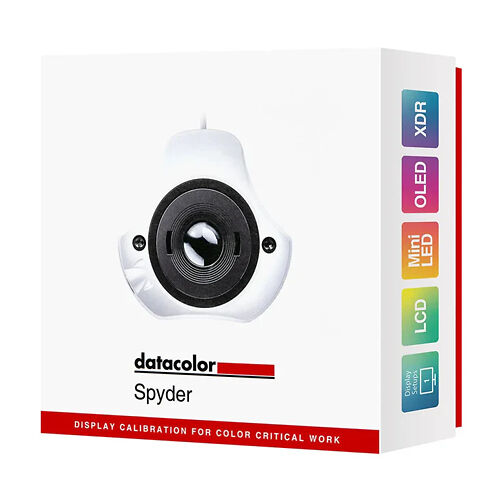
The Datacolor Spyder Essential is a pared-back, intuitive and affordable calibrator that will appeal to novices and hobbyists just beginning their colour-accurate journey, entry-level creatives and professionals with basic needs, or people simply restricted by budget (it's better than not calibrating at all!). With it's user-friendly interface and ready-to-use presets, it makes colour accuracy simple and fuss-free, delivering vibrant images with well-balanced shadows, highlights and fine detail.
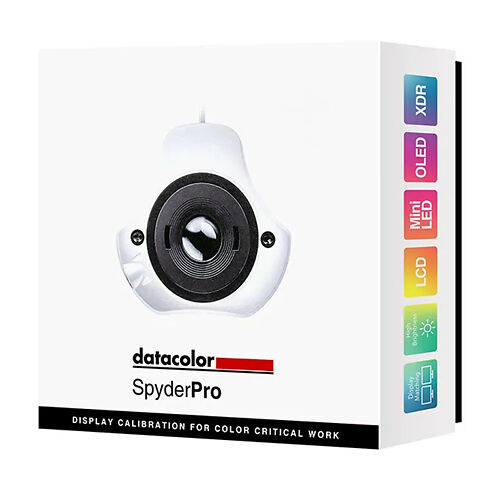
The Datacolor SpyderPro Advanced Colorimeter is aimed at imaging professionals who need greater control over their calibration settings and seamless integration into complex workflows, providing a more refined toolset than the Essential. If you're looking for an advanced calibrator however, we highly recommend looking at the Calibrite Display Plus HL or Calibrite Display Pro HL instead.

We generally recommend you buy a high quality monitor calibrator and have us make your printer profiles - this is the best quality solution (we have an article that helps you make this decision). However, some may prefer the flexibility of doing their own printer profiles, or have other devices to calibrate.
The Calibrite ColorChecker Studio (formerly X-Rite i1 Studio) - is by far the most affordable, very easy to use and highest quality 'system' calibrator in the market.
It's vastly better than the Spyder option in this area - the printer profiles are simply much better and it's a lot less fiddly to use.
We recommended it to amateurs on a budget who are keen to bring greater quality to their colour and for people who don't already have any calibrator and want to sort out monitors and printers in one go!
The Calibrite ColorChecker Studio can calibrate your whole workflow - monitors, scanners, projectors and printers.
It also comes with an application that allows you to take spot measurements and convert it into all sorts of values - LAB, other RGB colour spaces, and the closest matching Pantone library colour (very handy for graphic designers trying to match packaging etc!).
The software that comes with it is easy and excellent. In all, the Calibrite ColorChecker Studio is highly recommended.
If you're a keen paper experimenter, then using a custom profiling service can feel too slow - so even if ultimately you get a really proper custom profile made for your very favourite papers (to eke out that last few percent of quality), having a ColorChecker Studio is great for testing things initially.
We have some more thoughts on deciding between calibration options (all-in-one vs. monitor calibrator + icc profile service).
